Solo product designers
Get consistent screen drafts fast.
Describe the service you want in one line, and Draft lays out the connected app screens together with a design system for them.
Start with one light line
The design system builds itself
A polished flow that never looks AI-made
This is exactly what happens in the canvas. Draft asks about your direction, then its agent sets up skeletons, places blocks one by one and draws the images, and you refine it all with your design system.
This is the same design system panel you get in the canvas. Change the color, style, font or type size and all three screens update together.



 마르게리타16,000원
Turn a description into screens, watch them being made, and get closer to your taste the more you use it.
The more drafts you make, the better it learns your taste, so the drafts keep getting closer to what you want.
Turn one line about your service into a connected flow of screens.
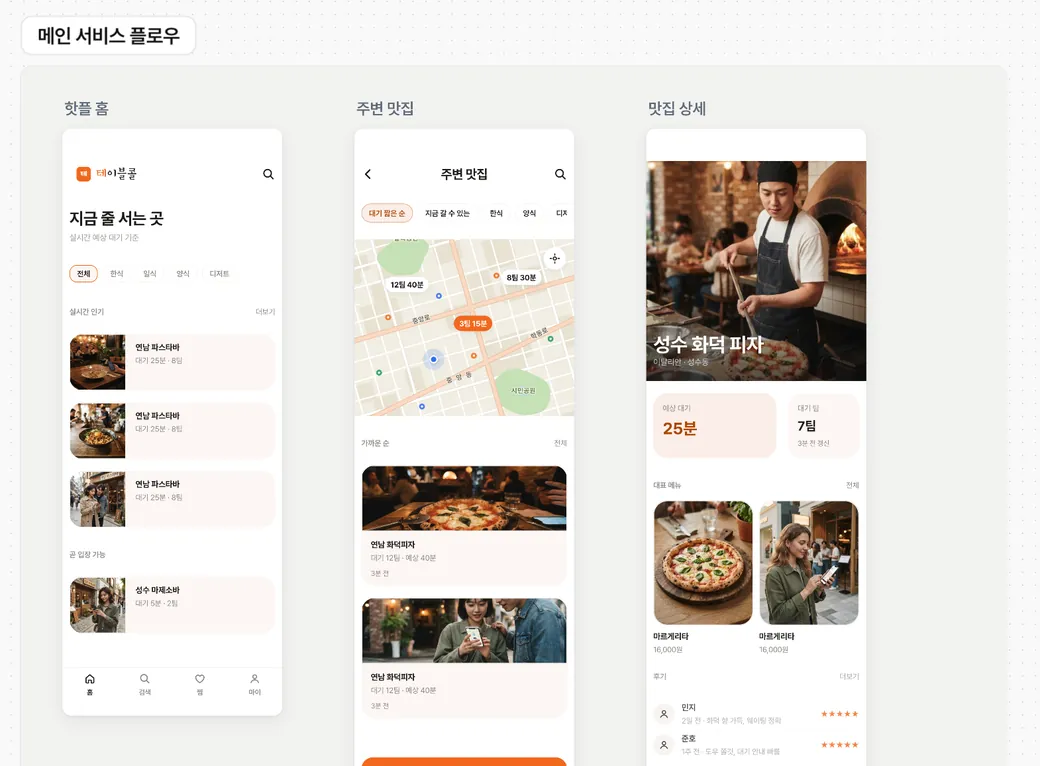
For a more polished result, Draft asks about your direction and reflects it in the drafts.
AI models place the components and generate their content in real time.
Wherever a screen needs an image, Draft creates a photo or illustration that fits the context.
Type an update request in plain words, and Draft analyzes it and edits the design on the canvas.
Drop a reference screen image into your draft, and Draft reads its layout and rebuilds it as components in your design system.
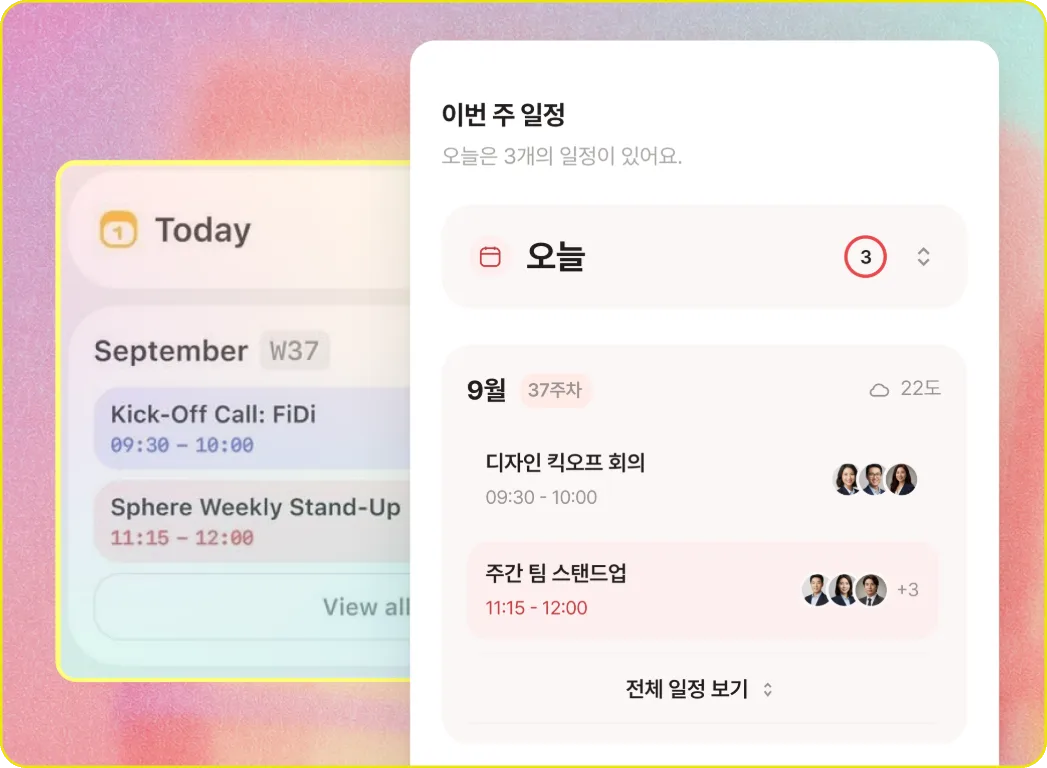
Get consistent screen drafts fast.
Sort out flows and copy before coding.
Turn a written plan into screens.
Draft is a web design editor. Describe the service you want in one line and it creates a connected set of app screens, like home, detail and profile, along with a design system that fits them. You can edit the screens on the canvas by asking in plain words or by hand, then export them to Figma, HTML or PNG to keep going.
Every feature is free during the beta. AI features have a daily limit per person, which resets every day at midnight Korea time. Work that doesn't use AI, like editing screens by hand or exporting, doesn't count toward the limit.
Yes. If your description leaves something out, like who it's for, the mood you want or the app's name, Draft asks first with a few options. Pick one and the layout and design system are set. Colors, graphic style, fonts, type size and corners can be changed in the panel, and every screen updates together.
Yes, without a plugin. Select frames on the canvas, copy them and paste into Figma. They arrive as layers with auto layout intact. You can move several frames at once, or download them as HTML or PNG.
No. From a reference screen, Draft reads only the structure, such as which blocks appear and in what order. Colors, fonts and copy follow your design system and service description. Attached images are read for reference only and are never placed on the canvas as they are.
Anthropic's Claude handles screen layout, copy and reading reference images. Google's Gemini generates the photos and illustrations that go into screens. Which blocks go where, and in what order, is based on an analysis of more than 1,300 real app screens.
You can open it, but the canvas is built for desktop screens. Picking and editing screens is a big part of the work, so we recommend editing in a desktop browser. There's nothing to install.